Bring across everything you already saved.
Point resaw at your Instagram data export and every post you ever bookmarked arrives at once. After that, share TikToks, YouTube videos, Facebook reels and any link straight in from the share sheet.
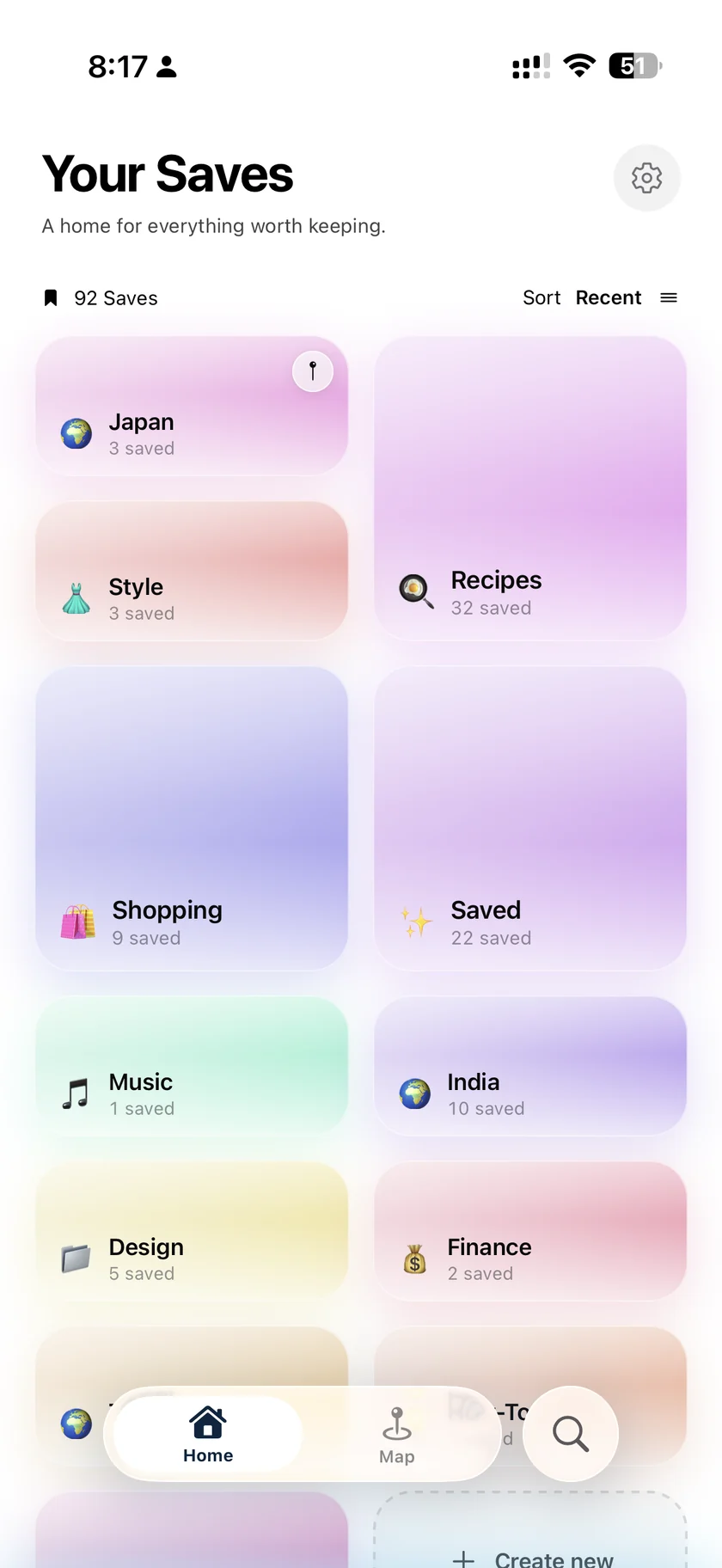
resaw saves what you find on Instagram, TikTok, YouTube, Facebook and the web, imports your whole Instagram saved history, files everything into folders on its own, and hands the right one back when you need it.
Free on the App Store. Sign in with Apple or Google.
Android version coming soon. Tell me when.
Recipes you meant to cook. Places you meant to go. Ideas you meant to use. All of it went into a tab you stopped opening months ago, and none of it is searchable, sorted, or coming back on its own.
Point resaw at your Instagram data export and every post you ever bookmarked arrives at once. After that, share TikToks, YouTube videos, Facebook reels and any link straight in from the share sheet.
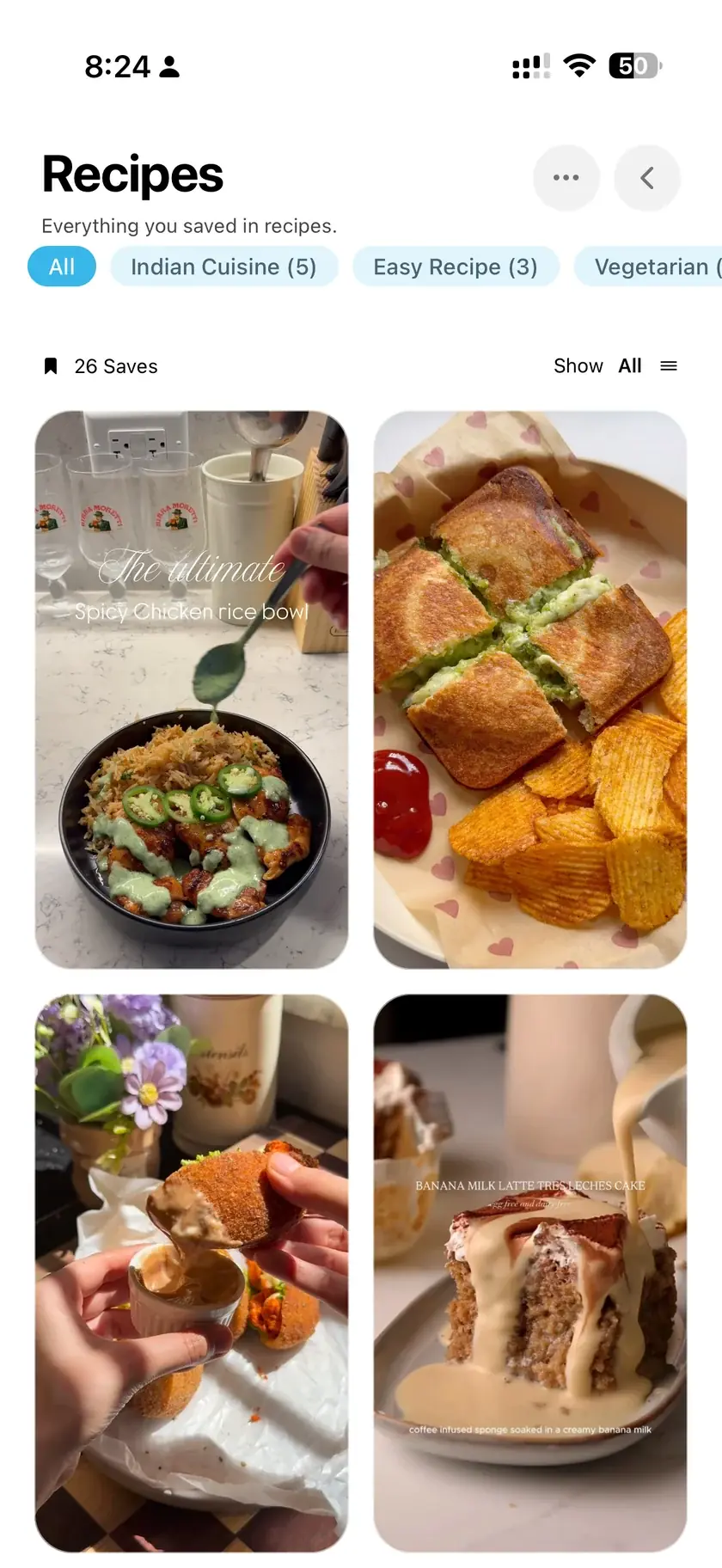
resaw reads each save, gives it a real title instead of a username, and files it under Recipes, Travel, Wellness or wherever it belongs. You never file anything yourself.
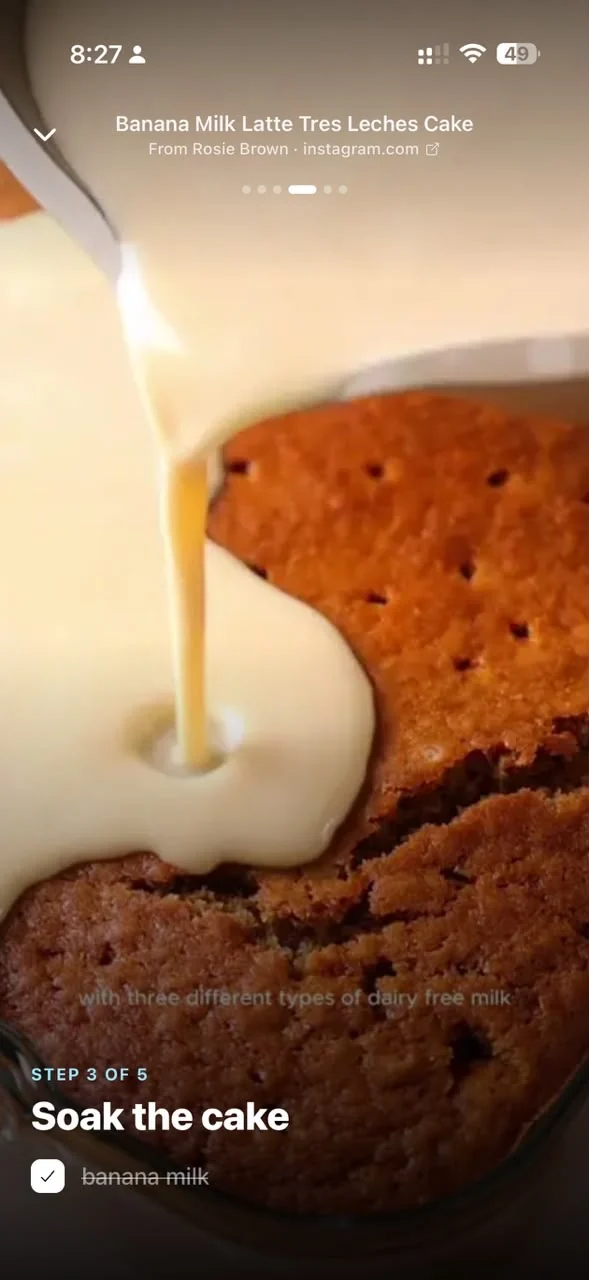
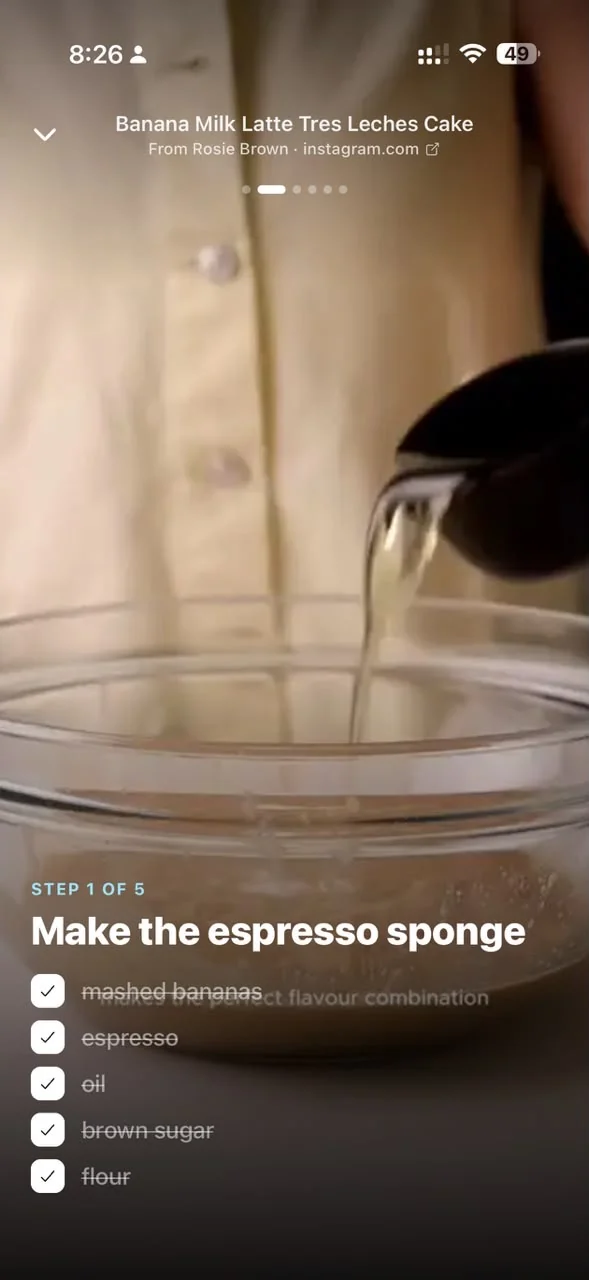
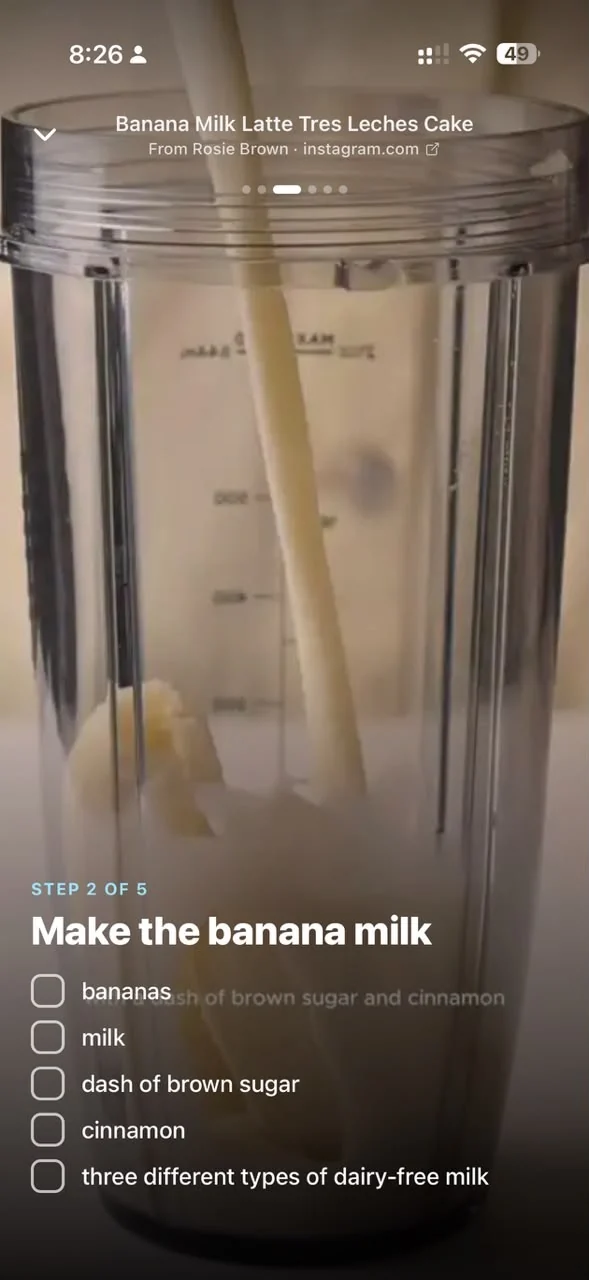
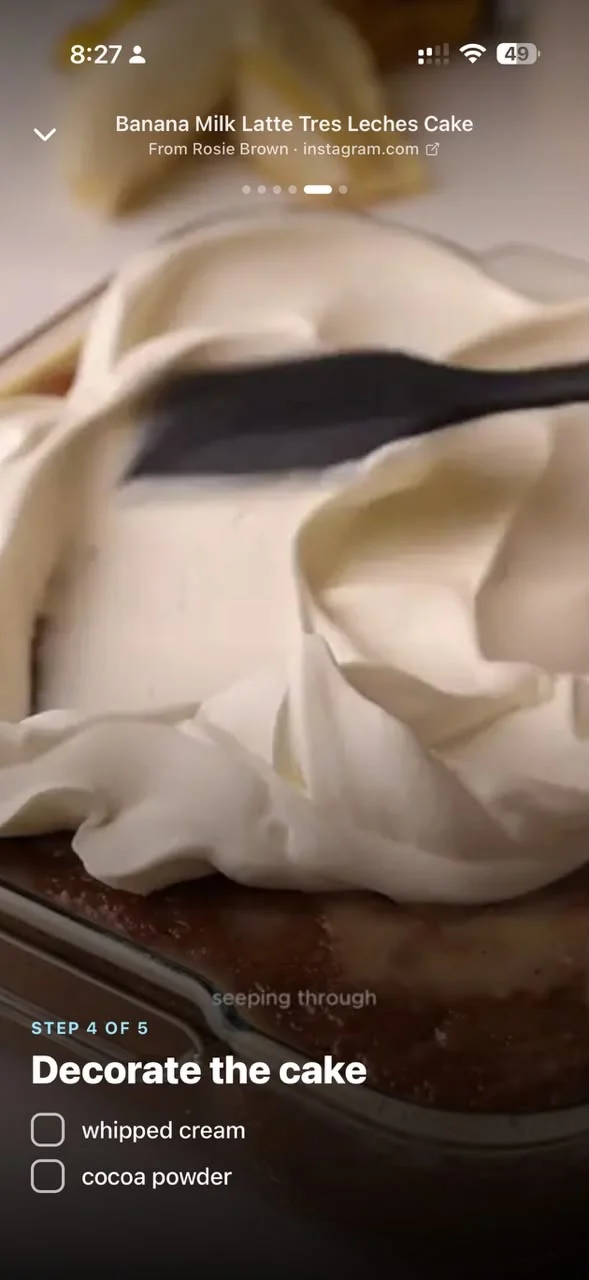
Ingredients and steps lifted out of the video and laid out one at a time, so you can cook from the counter without scrubbing back through a reel with wet hands.
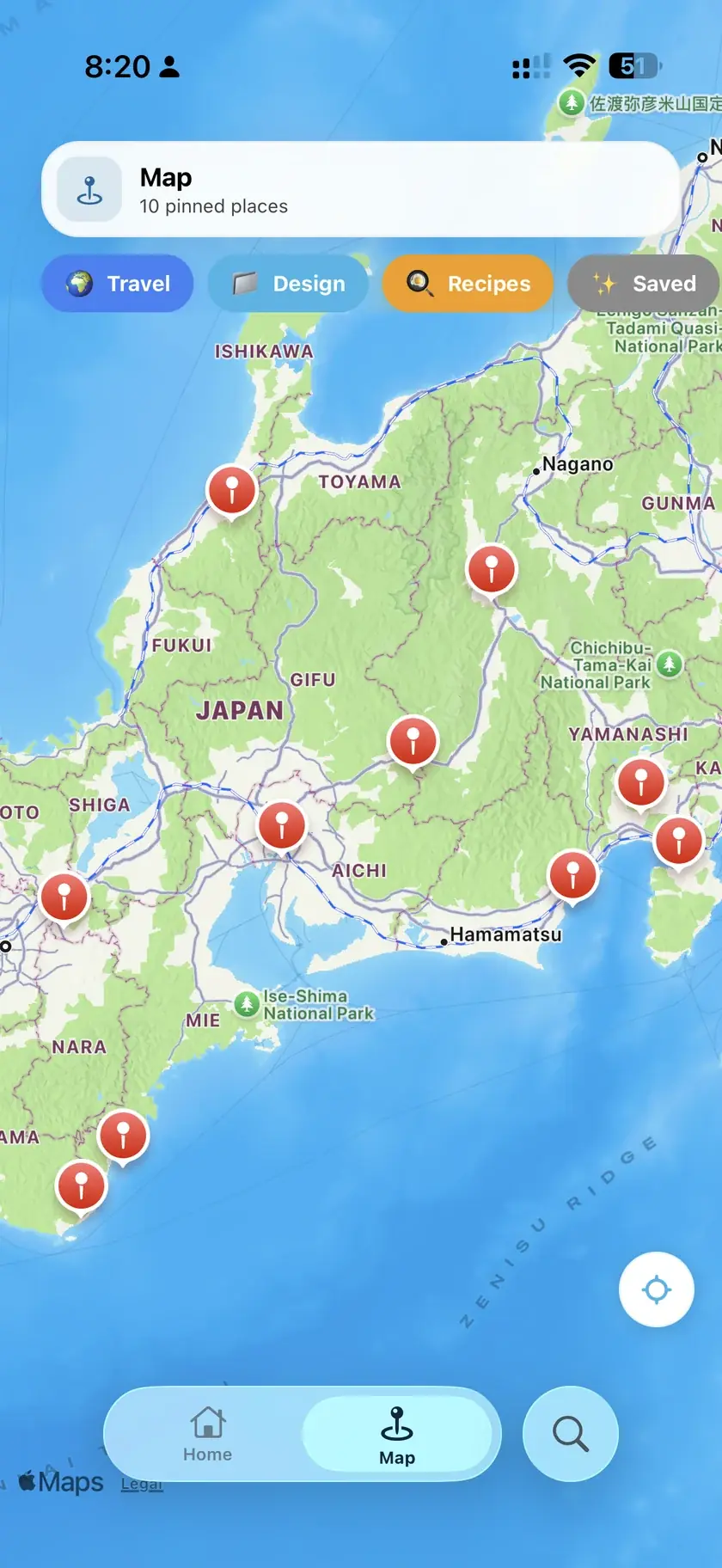
Restaurants, bars and shops mentioned in the things you saved get pinned automatically, so they are already there when you happen to be standing nearby.
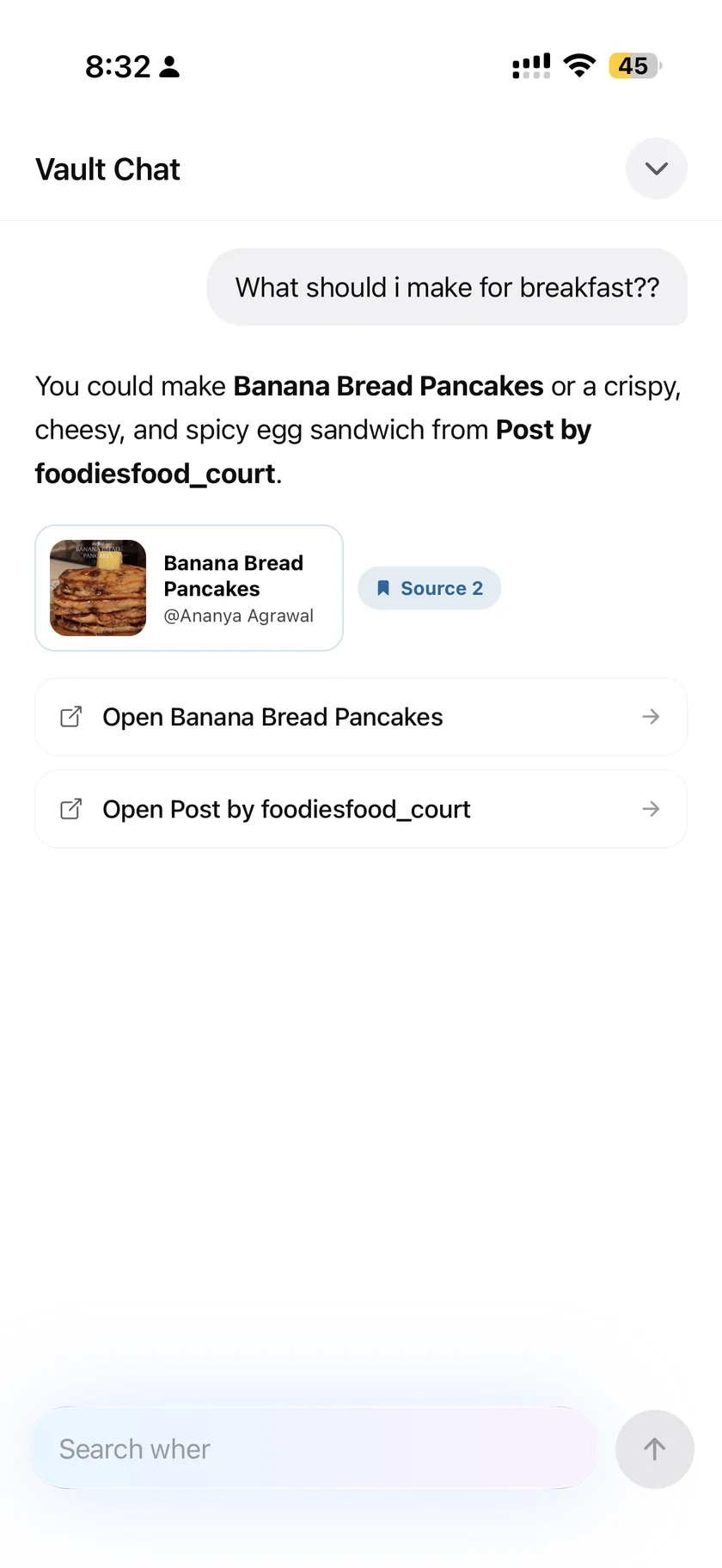
Ask in plain words and get a direct answer built only from what you saved, with the original posts attached so you can check it.
Cook mode holds the reel open on your behalf, one instruction at a time.

There is no feed and no sharing between people. Nothing you save is ever shown to anyone else.
Sign in with Apple or Google. There is no email and password account to manage or leak.
Export your whole vault whenever you want, and delete your account and everything in it from inside the app.
resaw is a free iPhone app that saves videos and links from Instagram, TikTok, YouTube, Facebook and the open web, sorts them into folders automatically, and makes every recipe, place and idea you saved searchable. Your Instagram saved history imports in one go from your own data export; everything else joins through the iOS share sheet. It never logs in to any of your accounts: you hand it a file or share it a link and it does the rest. resaw launched on the App Store on August 23, 2026, runs on iOS 17 or later, and has nothing to buy inside the app.
Plain answers to the questions people actually have about saved posts and videos, on Instagram, TikTok, YouTube and Facebook, whether or not you use resaw.
The exact path through Download your information, why HTML beats JSON, and where the saved_posts file hides in the zip.
What Collections can and cannot do, and how to sort a backlog of hundreds without filing each one by hand.
Where the Saved tab lives, why it has no search, and how to make every save findable by name.
Four ways to keep a recipe reel, from screenshots to ingredients and steps pulled out automatically.
Google Maps lists versus a map that fills itself in from the places mentioned in your saves.
Favorites, collections and saving to device, compared with sharing to an app that reads the video and files it for you.
Why Watch Later becomes a graveyard, what playlists fix, and how to make a saved video findable a month later.
Where Facebook hides the Saved area, and how to keep the reels that matter somewhere findable.
The full set, in the order worth reading them.
Instagram will send them to you. In the Instagram app open Settings, then Accounts Center, then Your information and permissions, then Download your information, and request a copy. Choose HTML as the format: the JSON version leaves the captions out, and resaw reads those captions to work out what each save is. Instagram emails you a link, usually within an hour. Open the file named saved_posts in resaw and everything lands at once. The full export guide walks through every step.
Not inside Instagram. The Saved tab has no search box, so the only way to find something is to scroll. resaw gives every imported save a real title, tags and a folder, then lets you search all of them by word or ask a question in plain language. The guide to finding a saved post covers what works inside Instagram too.
No. resaw never connects to your Instagram account and uses no Instagram API. It reads the export file you hand it and nothing else, so there is no login to give away and no access for anyone to revoke.
resaw is free to use, and there is nothing to buy inside the app.
They go into your own private vault. To give each save a real title, a set of tags and a folder, the text and images are sent to Google Gemini and Groq for analysis, which the privacy policy sets out in full. Nothing you save is shown to another person, and nothing is sold to anyone.
Yes. You can export your whole vault whenever you want, and you can delete your account along with everything in it from inside the app, without emailing anyone to ask.
An iPhone running iOS 17 or later. You sign in with Apple or Google, so there is no email and password account to manage.
resaw is out now on iPhone, free. Import your saves and start using them today.