How to find saved reels on Facebook
Quick answer
In the Facebook app, saved reels have a page of their own: Menu → your name → Reels → Saved. The posts, links and other things you save sit under Menu → Saved, where collections exist but you file by hand. To keep a reel somewhere it can be found by what it is about, share it to resaw: it reads the reel, titles it and files it on its own.
Facebook reels have quietly become where a lot of recipes, home fixes and travel finds first appear, especially in family group chats. Facebook does let you save them. Then it tucks the saves away on your profile, four taps from the Feed. Here is where they are, and how to keep the ones that matter.
resaw is free on iPhone. Share a video to it from any app and it arrives with a real title, filed in the right folder.
Download on the App StoreWhere saved reels actually go
To save a reel, tap Options while it plays, then Save reel or Save video. Facebook keeps saved reels on a page of their own, reached from your profile.
- Open your profile
Tap Menu in the top left of Facebook, then tap your name.
- Tap Reels
It sits above Details.
- Tap Saved
Your saved reels and videos are listed there, or tap Liked for the ones you liked. Facebook says both pages are visible only to you.
On a computer the route is similar: from your Feed, click your name on the left, then Reels, then Saved Reels.
Posts, links and other things you save are listed under Saved (Menu → Saved). Facebook has retired its old Watchlist, so every video you save, including anything once marked Watch later, is in that list too. You can build collections inside Saved, but the filing is yours to do.
The deeper problem is memory. A reel called Video by Some Kitchen Page tells you nothing in six months. Whether a save is findable later depends entirely on whether the thing that saved it understood it at the time.
Option one: Facebook collections
Inside Saved, the Collections section has New collection, and you can save straight into a collection from your Feed, Reels or Marketplace. It is the same deal as everywhere else: works if you file every save immediately into one of a few well-named boxes, decays the first week you do not. Nothing inside a collection is searchable by content, and a reel deleted by its page simply disappears from the list.
Option two: share it to something that reads it
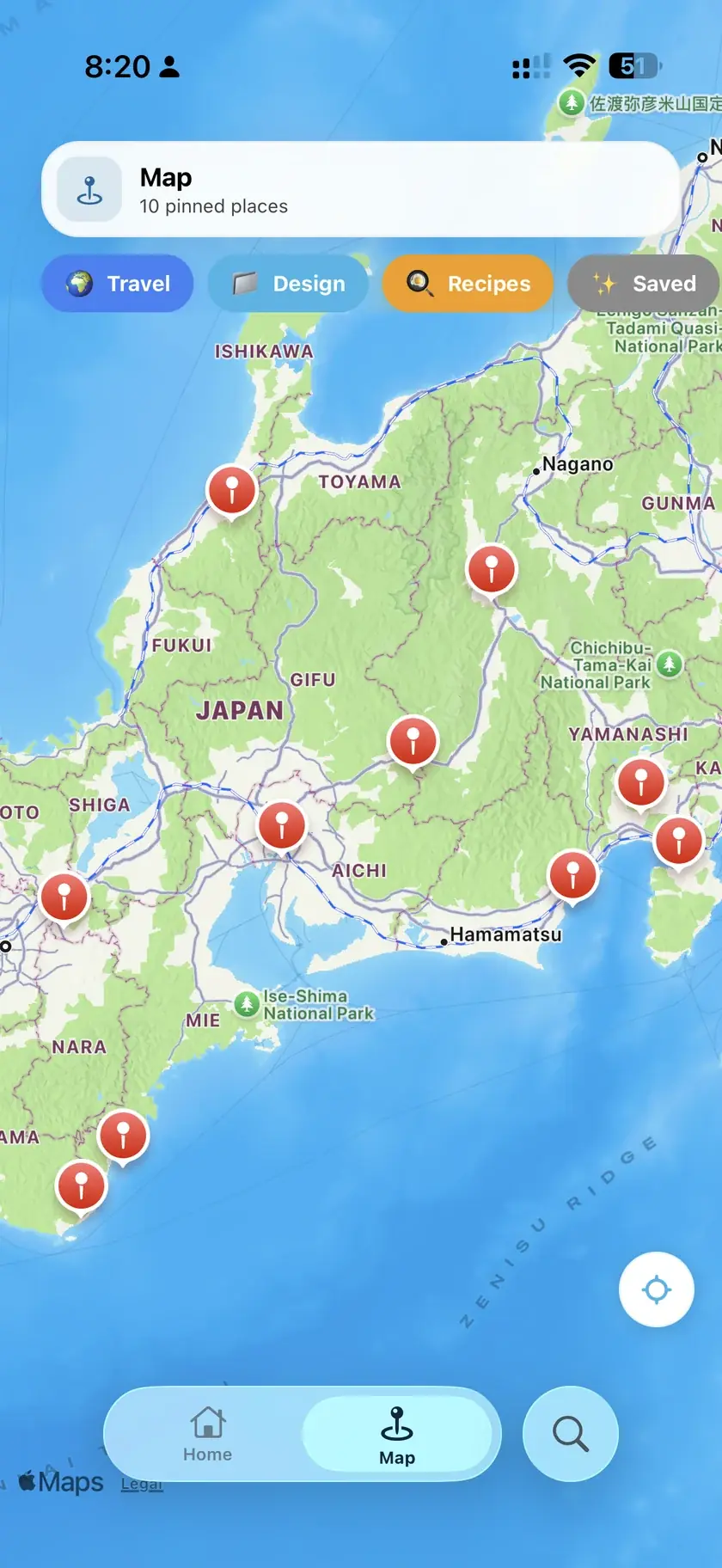
Share a reel to resaw and it gets read properly: the audio, the caption, the frames. It arrives in your vault with a real title, a summary, and a folder that matches what it is. The reel about one-pan dinners files with your recipes and becomes a step-by-step; the one about a weekend town lands on your map. Everything is searchable in plain words afterwards, and the link back to Facebook stays attached. The same search covers anything you have saved from Instagram as well, as the guide to finding saved posts on Instagram explains.
How to save a Facebook reel to resaw
On a reel: Share → More options → resaw (Facebook shows its own share targets first; More options opens the iOS share sheet). Copy link → open resaw → paste works too. Public reels come through in full; a reel restricted to a private group can only be read as far as Facebook lets a link be read, which is honest to say up front.
Common questions
Where is the Saved section in the Facebook app?
Tap Menu in the top left of Facebook, then Saved. That list holds the posts, links and videos you save, along with any collections you make. Saved reels also have a page of their own: Menu, then your name, then Reels, then Saved.
Do private group reels work with resaw?
Only partly. resaw reads what the link makes available, and a reel locked to a private group does not make much available. Public reels and page reels come through in full.
Does resaw download the reel?
No. It reads the reel to understand it, keeps a searchable record with a title, summary and thumbnail, and keeps the link back to Facebook for watching.
Can I import everything I have saved on Facebook at once?
Not today. Bulk import exists for Instagram, bringing in your whole saved history. Facebook reels join one at a time through the share sheet.
One place for all of it
Reels from Facebook and Instagram, TikToks, YouTube videos and plain links all land in the same vault, read and filed the same way, searchable with plain words.
Download resaw freeMore on getting your saves back
- How to save TikTok videos you can actually find againFavorites and collections, compared with sharing to an app that reads the video.
- How to save YouTube videos for later, properlyWatch Later, playlists and the queue, and what each one fails at.
- How to export Instagram saved postsThe one platform where your whole saved history can come across from a single export file.